Air Duster vs Vacuum: Which Is Better for Cleaning Electronics?
When dust starts accumulating on your computer keyboard, laptop vents, or gaming console, you face a common dilemma: should you grab a can of compressed air or pull out your vacuum cleaner? It’s a question I’ve wrestled with myself, and honestly, the answer isn’t as straightforward as you might think. Both tools have their strengths and weaknesses, and choosing the right one depends on what you’re cleaning, how delicate your equipment is, and what kind of mess you’re dealing with.
In this guide, I’m going to walk you through everything you need to know about air dusters versus vacuums for electronics cleaning. By the end, you’ll understand which tool works best for different situations, and you’ll be able to make an informed decision that protects your valuable gadgets.
Understanding the Basics: What Are Air Dusters and Vacuums?
What Exactly Is an Air Duster?
An air duster, commonly known as compressed air or canned air, is a pressurized canister that releases a powerful stream of gas when you press the trigger. Think of it like a miniature wind machine designed specifically for blowing dust away from tight spaces. Most air dusters contain liquefied gas that turns into compressed air as it exits the nozzle.
The appeal of air dusters is their simplicity and precision. You point, you spray, and dust gets displaced. They’re particularly useful for reaching into crevices where a vacuum nozzle simply can’t fit. I’ve used them countless times to clean between keyboard keys, inside computer towers, and around delicate circuitry where I wouldn’t want anything making physical contact.
What Does a Vacuum Cleaner Do Differently?
A vacuum cleaner works on an entirely different principle. Instead of blowing dust away, it creates suction that pulls dust and particles into a collection chamber or bag. For electronics, you’d typically use a handheld vacuum or a vacuum with special attachments designed for delicate equipment.
The main advantage of vacuums is that they actually remove the dust from your immediate workspace. With air dusters, you’re simply moving dust from point A to point B—it still exists in your room. A vacuum captures it, containing the mess and preventing it from settling on other surfaces or being inhaled.
The Case for Air Dusters: When Compressed Air Wins
Precision and Accessibility
Air dusters are absolute champions when it comes to reaching impossible-to-access spots. Have you ever tried cleaning between the keys of a mechanical keyboard using a vacuum? It’s nearly impossible without potentially damaging the mechanism. But with an air duster, you can direct a precise stream of air exactly where you need it.
This precision extends to computer internals as well. When you’re cleaning a CPU cooler, graphics card, or RAM sticks, an air duster lets you blow away accumulated dust without the risk of the vacuum’s suction pulling on delicate components. I’ve cleaned dozens of computer towers this way, and the control you get is unmatched.
Safety for Sensitive Components
Here’s something many people overlook: vacuum cleaners can generate static electricity. Even though you might be careful, the friction inside a vacuum can create an electrical charge that could theoretically damage sensitive electronics. Air dusters don’t carry this risk. They’re completely static-free, making them the safer choice for your most expensive tech investments.
Additionally, air dusters don’t make direct contact with your equipment. There’s no brush or suction head touching delicate circuits, screens, or connectors. It’s a non-invasive cleaning method that sits somewhere between “doing nothing” and “aggressive cleaning.”
Portability and Convenience
A can of compressed air is pocket-sized and portable. You can keep one in your desk drawer, bag, or tech toolkit without taking up much space. Vacuums, by comparison, are bulkier and less convenient for quick touch-ups throughout the day.
This portability means you’re more likely to clean your devices regularly. When your tool is right there and ready to go, you’ll use it more often than if you had to dig out a bulky vacuum every time dust accumulates.
The Case for Vacuums: Why You Shouldn’t Dismiss Them
Actually Removing Dust, Not Just Moving It
The biggest advantage vacuums have is that they solve the problem permanently. When you use an air duster, the dust has to go somewhere. Usually, it settles on nearby surfaces, potentially creating more work for you later. A vacuum sucks it up and contains it in a chamber or bag, getting it out of your workspace entirely.
This is especially important if you have allergies or respiratory sensitivities. Blowing dust around with an air duster means it becomes airborne and can be inhaled. A vacuum eliminates this concern by containing the particulates.
Better for Larger Accumulations
If dust has built up significantly inside your device, a vacuum is often more effective. Imagine trying to clear a thick layer of dust from your computer’s fans using only compressed air. You’d go through several cans without completely clearing it. A vacuum with good suction can handle the job more efficiently.
Think of it like this: compressed air is a nudge, while a vacuum is a pull. For light dust, the nudge works fine. For heavy accumulation, you need the pull.
Cost-Effectiveness Over Time
Here’s an economic reality: compressed air cans aren’t cheap, especially if you clean regularly. Each can is single-use and costs anywhere from three to eight dollars. If you clean your electronics weekly, you could spend fifty to four hundred dollars per year on air duster cans alone.
A quality handheld vacuum or an attachment for your existing vacuum is a one-time investment that lasts years. When you calculate the cost per use over the lifetime of the vacuum, it becomes dramatically more economical.
Potential Risks and Downsides of Each Method
Air Duster Drawbacks
Beyond cost, air dusters have some genuine limitations. First, some compressed air cans contain a liquid propellant that can spray onto your electronics if you tilt the can or use it upside down. This liquid is extremely cold and could potentially damage components or leave residue.
Second, air dusters can actually cause thermal issues in some cases. The sudden release of pressurized gas can create air currents that disrupt the normal airflow patterns inside your device. Fans might spin unexpectedly, and this isn’t ideal for electronics in operation.
Third, there’s the environmental consideration. CFCs and HFCs in older air dusters have been phased out, but modern alternatives still have environmental impacts. If you’re environmentally conscious, the disposable nature of air dusters might concern you.
Vacuum Drawbacks
Vacuums aren’t without their own risks. The main concern is suction damage. A powerful vacuum could potentially dislodge small components, capacitors, or wires if the suction is too strong. This is why you must use lower suction settings or specialized attachments when vacuuming electronics.
There’s also the static electricity concern I mentioned earlier. While modern electronics are fairly static-resistant, it’s still a theoretical risk. Antistatic vacuum attachments exist, but they’re less common and more expensive.
Finally, vacuums are loud and bulky. If you’re cleaning electronics in a shared space or at night, a loud vacuum isn’t practical. And storing a vacuum takes up considerably more space than keeping a can of compressed air in a drawer.
Specific Scenarios: Which Tool to Use When?
Cleaning Keyboards and Laptops
For keyboard cleaning, air dusters are your best friend. The compressed air can reach between keys, under the keycaps, and into the mechanisms where dust loves to hide. Use short bursts and hold the can upright to avoid spraying liquid.
For laptop vents and cooling fans, air dusters again excel. You can direct the air exactly where needed without risking suction damage to delicate internal components. Just make sure your laptop is powered off and cooled down first.
Cleaning Desktop Computers
Here’s where you might actually benefit from combining both methods. Use an air duster for internal components like RAM sticks, GPUs, and intricate cooling solutions. But here’s a pro tip: place your computer tower inside a large plastic bag while using the air duster. This contains the dust and prevents it from spreading throughout your room. Afterward, you can vacuum up the bag’s contents.
Alternatively, if you’re comfortable with electronics and confident in controlling the vacuum’s suction, you could use a low-power handheld vacuum with a nozzle attachment to catch the dust as the air duster blows it out. This combines the precision of air dusters with the containment of vacuums.
Cleaning Monitors and Screens
Never use a vacuum on screens or monitors—the suction could damage the display. Air dusters are perfect here. Use gentle, short bursts from a distance to remove dust from the screen surface and the vents around the monitor. Always avoid touching the screen itself.
Cleaning Printers and Copiers
For these devices, you could use either method, but vacuums with appropriate attachments are often better. These machines collect a lot of toner and paper dust, and a vacuum can remove larger accumulations more efficiently than compressed air alone.
Cleaning Gaming Consoles and Entertainment Systems
Your PlayStation, Xbox, or Nintendo console benefits most from air dusters. These devices have vents designed to release heat, and air dusters can blow out dust without risking component damage. The fans in these devices are more robust than those in high-end computers, but you still want to avoid aggressive suction.
Expert Tips for Safe Electronics Cleaning
Preparation Is Everything
Before you clean anything, power it off completely and let it cool. Never clean hot electronics—you risk thermal shock and potential damage. Unplug devices when possible for maximum safety.
The Right Technique With Air Dusters
Hold compressed air cans upright, not sideways or upside down. Use short bursts rather than one continuous spray. Allow the can to warm up slightly between uses if you’re doing extended cleaning—prolonged use can make the can too cold and reduce effectiveness.
Vacuum Safety Practices
If you’re using a vacuum on electronics, use the lowest suction setting possible. Consider using a cloth attachment or anti-static attachment if you have one. Never let the vacuum nozzle make sustained contact with a single component—keep it moving to distribute suction.
Additional Protective Measures
Wear an antistatic wrist strap if you’re opening up electronics for internal cleaning. This grounds you and prevents static discharge from your body. Also, consider wearing a dust mask to avoid inhaling particles, especially if you’re dealing with significant dust accumulation.
Environmental Considerations and Sustainability
If you’re environmentally conscious, this comparison takes on another dimension. Compressed air cans are single-use products that end up in landfills. While the propellants are no longer harmful to the ozone layer, they still represent waste.
Vacuums, particularly corded or high-quality rechargeable models, are sustainable long-term purchases. You replace filters periodically, but the device itself lasts for years. From an environmental standpoint, investing in a good vacuum makes more sense than continuously purchasing disposable air duster cans.
Making Your Final Decision
Assess Your Cleaning Needs
Ask yourself these questions: How often do you clean electronics? How much dust accumulation do you typically deal with? What types of devices do you own? Are you cleaning delicate internals or external vents?
If you’re doing light, weekly maintenance on keyboards and external surfaces, air dusters are your answer. If you’re doing deep cleaning of computer internals or dealing with heavy dust accumulation, a vacuum might serve you better.
The Ideal Solution: Having Both
Here’s my honest recommendation: if you can, have both tools available. Use air dusters for their precision and safety with delicate components. Use a vacuum for capturing dust and handling heavier accumulations. They complement each other beautifully.
A can of compressed air costs just a few dollars, and a good handheld vacuum runs fifty to one hundred fifty dollars. Together, they give you flexibility and confidence when cleaning anything from a gaming console to a high-end workstation.
Conclusion
So, which is better for cleaning electronics—air dusters or vacuums? The honest answer is that it depends on your specific situation, but I hope this guide has shown you that it’s not an either-or decision.
Air dusters excel at precision cleaning, accessing tight spaces, and safely maintaining delicate electronic components. They’re portable, convenient, and carry no risk of static discharge or suction damage. However, they’re expensive to use regularly and don’t permanently remove dust from your environment.
Vacuums, particularly handheld models with appropriate attachments, are more cost-effective long-term solutions that actually capture and contain dust. They’re better for heavy accumulations and more sustainable. Their main drawbacks are potential suction damage and the theoretical static electricity risk, though modern electronics handle both fairly well.
My personal approach is to keep a can of compressed air for regular maintenance and keyboard cleaning, while using a handheld vacuum for deeper cleaning sessions and heavy dust removal. This gives me the best of both worlds—precision where it matters and containment for the bigger jobs.
Whatever you choose, remember that regular, gentle cleaning is better than letting dust accumulate to the point where aggressive cleaning becomes necessary. Your electronics will thank you with longer lifespan and better performance.
Frequently Asked Questions
Is it safe to use compressed air on my computer motherboard?
Yes, compressed air is generally safe for motherboards when used properly. Keep the can upright, use short bursts, and avoid prolonged contact with any single component. The static-free nature of compressed air makes it actually safer than a vacuum for sensitive circuitry. However, never spray liquid propellant onto the board by tilting the can—keep it vertical to ensure only gas is released.
Can vacuums damage electronics with static electricity?
Most modern electronics have static protection built in, so the risk is relatively low. However, it’s still a concern in theory. If you’re vacuuming high-end equipment or vintage electronics, wear an antistatic wrist strap or use a vacuum specifically designed with antistatic features. For everyday consumer electronics like laptops or consoles, the risk is minimal.
How often should I clean the dust from my computer?
For most people, cleaning every three to six months is sufficient. However, if you live in a dusty environment, have pets, or use your computer in harsh conditions, monthly cleaning is better. Gaming computers and workstations that generate significant heat should be cleaned more frequently to maintain optimal cooling performance.
Are electric air dusters better than canned compressed air?
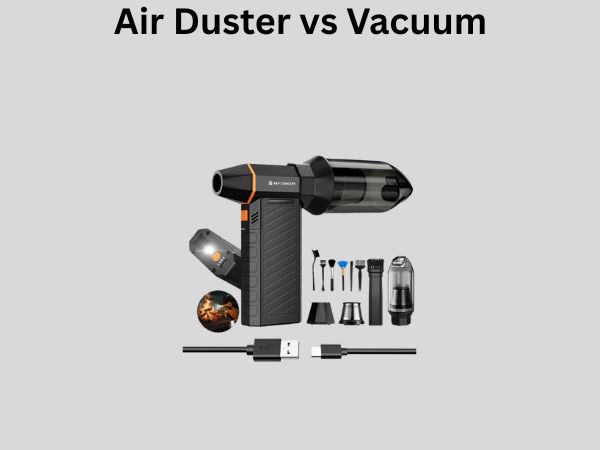
Electric air dusters are an excellent alternative to canned compressed air. They’re reusable, more economical over time, and environmentally friendly. However, they’re bulkier, require charging, and some people find them noisier. For serious electronics enthusiasts who clean regularly, an electric duster is a worthy investment. For occasional users, canned air is still more convenient.
What should I do if liquid from compressed air gets on my electronics?
If liquid propellant sprays onto your electronics, power them off immediately and allow them to dry completely before using them again. The liquid is extremely col