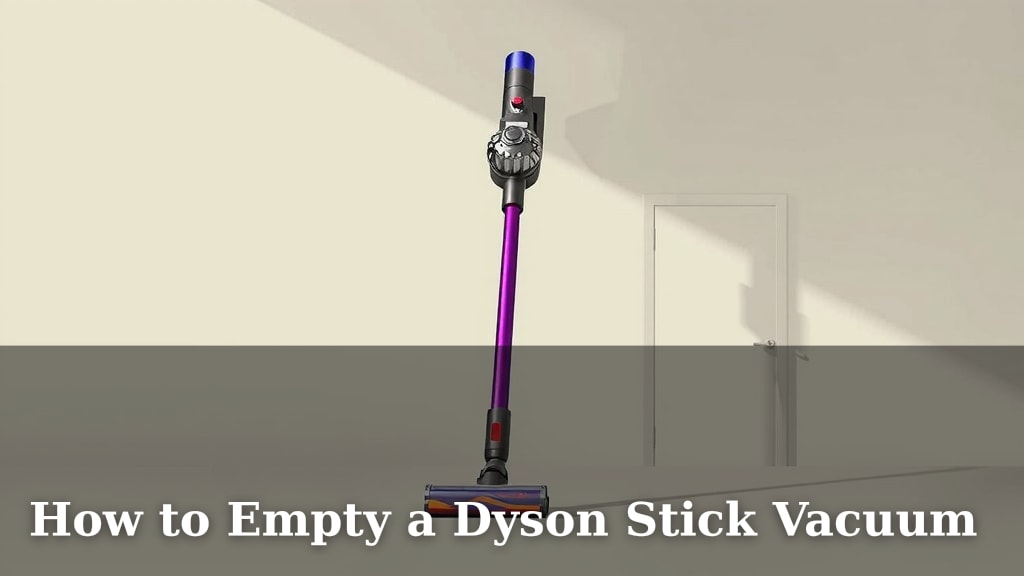
How to Empty a Dyson Stick Vacuum
Emptying your Dyson stick vacuum is a simple process that keeps your machine running at its best. You’ll want to empty the bin whenever the debris reaches the MAX line or even before it gets that full for optimal suction. It’s a quick task that prevents clogs and ensures your Dyson continues to clean effectively.
Keeping your Dyson’s bin clear is one of the easiest ways to maintain powerful performance. A full bin can reduce suction and make your vacuum work harder than it needs to. Regularly emptying it also helps prevent dust and allergens from recirculating, contributing to a cleaner home environment. It’s a small step with big benefits for both your vacuum and your living space.
- Empty bin when debris hits the MAX line.
- Or empty it sooner for better suction.
- Regular emptying maintains performance.
- It also helps with cleaner air.
Let’s walk through exactly how to empty your Dyson stick vacuum bin, step by step. We’ll make sure you know how to do it right every time.
Clearing Out Your Dyson Stick Vacuum’s Dust Bin
Keeping your Dyson stick vacuum’s dust bin clean is key for powerful suction. A full bin can really choke your vacuum’s ability to pick up dirt. We’ll guide you through the simple steps to empty it. You’ll have your Dyson ready for its next cleaning mission in no time.
Why Emptying Matters So Much
Think of your Dyson’s bin like a stomach. If it’s too full, it just can’t digest any more food, or in this case, dirt. A bin that’s too full means less air can flow through it. This directly impacts your vacuum’s suction power. You might find yourself going over the same spot multiple times. That’s not efficient cleaning!
Beyond just suction, a packed bin can cause other issues. Dust and debris can get pushed back into the air. This can be a problem for allergy sufferers. Many guidelines suggest keeping home environments as dust-free as possible (CDC). A clean bin helps ensure your vacuum is actually cleaning your home, not just moving dirt around. It’s a simple step toward a healthier living space.
The Simple Steps to an Empty Bin
Dyson has designed these machines to be user-friendly. Emptying the bin is usually straightforward. The exact method can vary slightly between models, but the core process is very similar across most Dyson stick vacuums. We’ll cover the most common design. Always check your specific model’s manual if you have any doubts.
Locating the Bin Release Mechanism
First, you need to find the part that lets the bin open. On most Dyson stick vacuums, you’ll see a lever or a button near the base of the dust bin. This is usually red or has a red indicator. Sometimes it’s a slider. This is your gateway to an empty bin. It’s designed to be easy to spot and operate.
Positioning Your Vacuum for Emptying
Before you press that release, think about where you are. You’ll want to position your Dyson over a trash can. Make sure it’s a trash can you don’t mind getting a little dusty. Holding it directly over the bin is best. This prevents debris from scattering on your floor. Aiming directly into the bin minimizes mess.
Opening the Bin: Step-by-Step
With the vacuum pointed at the trash and the release mechanism located, you’re ready.
- Hold the vacuum firmly.
- Locate the bin release lever or button.
- Gently push or slide the lever/button.
- The bottom of the bin should swing open.
- Let all the debris fall out.
Ensuring the Bin is Fully Empty
Sometimes, not all the dirt falls out on the first try. You might have some stubborn bits clinging to the inside. A gentle tap on the side of the bin can help dislodge these. You can also carefully use a soft brush or a damp cloth to wipe away any remaining dust. Research suggests that maintaining the cleanliness of all vacuum parts helps improve performance (ASPCA). Just make sure the bin is completely dry before reattaching it. You don’t want damp dust to stick!
Closing and Reattaching the Bin
Once you’re sure the bin is empty, you need to close it. Most Dyson bins swing shut. You’ll usually hear a click when it’s properly secured. Ensure the bottom flap is closed all the way. A securely closed bin is vital for your vacuum’s function. It prevents dust from escaping while you clean. Make sure it’s firmly clicked shut before you start vacuuming again.
Dealing with Different Types of Debris
Your Dyson picks up all sorts of things. From fine dust to larger crumbs, it handles a lot. The emptying process works for most typical household debris. However, certain items might need a little extra attention.
Fine Dust and Pet Hair
Fine dust and pet hair are the most common bin-fillers. They tend to pack together. If you notice the bin doesn’t empty completely, it might be due to static cling. Sometimes, wiping the inside of the bin with a dry microfiber cloth after emptying can help reduce this. This is a small step, but it can make a difference in how easily the bin empties next time.
Larger Debris and Hair Clippings
Larger items like paper scraps or hair clippings can sometimes get caught. If you see something stuck in the bin opening, don’t force it. You might need to gently pull it out with your fingers or use a tool like tweezers. Remember, safety first! Always ensure the vacuum is powered off and unplugged before attempting to remove any blockages. Your Dyson is powerful, but gentle handling is best for maintenance.

When to Consider Washing the Bin
While regular emptying is sufficient for daily use, deeper cleaning is sometimes necessary. If you notice a persistent odor or a build-up of grime, it’s time to wash the bin. Many experts recommend washing the bin periodically, perhaps every few months, depending on usage (Dyson’s own guidance often suggests this).
Can I Wash My Dyson’s Bin?
Yes, most Dyson stick vacuum bins are washable. However, not all components are. The clear dust bin itself can usually be detached and washed. Check your manual to be sure. Crucially, you must never wash the main body of the vacuum or the motor unit. Water and electronics do not mix!
The Washing Process
To wash your bin:
- Remove the bin from the vacuum.
- Ensure the bin is completely empty.
- Wash it with cool or lukewarm water only.
- You can add a small amount of mild detergent if needed.
- Rinse thoroughly to remove all soap residue.
- Crucially, let it air dry completely.
Quick Checklist for Emptying Your Dyson Bin
To make sure you’re doing it right every time, keep this simple checklist handy:
- Confirm the bin is at or near the MAX line.
- Have a trash can ready, positioned below the bin.
- Locate and activate the bin release mechanism.
- Allow all debris to fall out.
- Gently tap or wipe away any stubborn bits.
- Ensure the bin clicks shut securely.
Conclusion
You’ve now mastered the simple art of emptying your Dyson stick vacuum. Keeping that bin clear is the secret to maintaining peak cleaning performance. It’s a quick habit that makes a big difference for your vacuum’s suction and the air quality in your home. Remember to empty it before the MAX line for the best results. Your Dyson will thank you with powerful cleanups, every time you use it.
Make it a routine after each major cleaning session, and you’ll always be ready for the next mess. You’ve got this!
Frequently Asked Questions
How often should I empty my Dyson stick vacuum bin?
You should empty your Dyson bin whenever the debris reaches the MAX line. For optimal suction power, it’s even better to empty it before it gets completely full. This ensures your vacuum always has room to breathe and suck up dirt effectively.
What if some debris is stuck in the bin and won’t fall out?
If some stubborn bits remain, gently tap the side of the bin. A dry microfiber cloth can help dislodge dust clinging due to static. Avoid using excessive force. Ensure the bin is completely dry before reattaching it to the vacuum.
Can I wash my Dyson stick vacuum bin?
Yes, most Dyson stick vacuum bins are designed to be washed. However, only the clear dust bin itself can be washed. Never submerge the main vacuum body or the motor unit. Always let the bin air dry completely, which can take 24 hours or more, before reattaching it.
What’s the best way to empty the bin without making a mess?
Position your Dyson directly over your trash can before releasing the bin. This minimizes mess by containing the debris. Holding the vacuum firmly and activating the release mechanism smoothly will help ensure everything falls straight into the bin.
Why is it so important to keep the Dyson bin from getting too full?
A full bin restricts airflow, which directly reduces your vacuum’s suction power. This means you’ll have to clean the same spots multiple times. It can also cause dust and allergens to recirculate back into your home, impacting air quality.