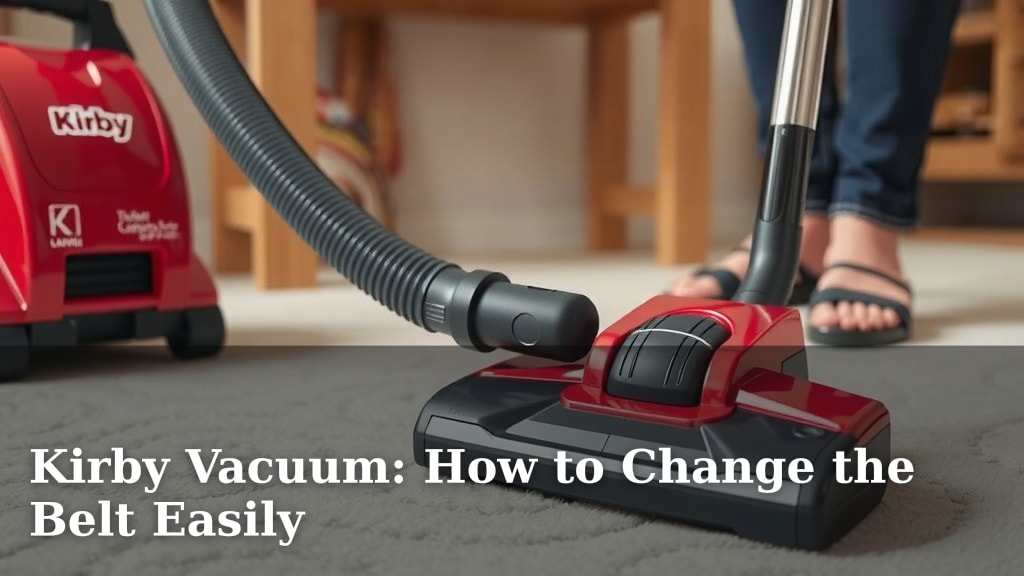
Kirby Vacuum: How to Change the Belt Easily
You can easily change your Kirby vacuum belt in under 10 minutes with a few simple tools. A worn-out belt can make your vacuum cleaner less effective, so knowing how to change the Kirby vacuum belt is essential for keeping your floors clean. Don’t worry, it’s a straightforward process most homeowners can do themselves.
A broken or stretched belt means your vacuum’s brush roll won’t spin properly. This directly impacts its ability to pick up dirt and debris from your carpets. Many users find that replacing the belt is a quick fix that restores their vacuum’s power. We found that regular belt checks can prevent more serious motor issues down the line.
- Unplug your Kirby vacuum first.
- Locate the brush roll and the belt cover.
- Remove the old belt and install the new one.
- Ensure the belt is properly seated.
- Test the brush roll to confirm it spins.
Let’s walk through exactly how to change your Kirby vacuum belt step by step. It’s simpler than you might think!
Keeping Your Kirby Vacuum Running Smoothly: A Belt Replacement Guide
Your Kirby vacuum cleaner is a workhorse, designed to tackle tough messes. But like any machine, parts wear out. The belt connecting your motor to the brush roll is one such part. When it stretches or breaks, your vacuum loses its cleaning power. Fortunately, you can easily change this belt yourself. We’ve found that a simple belt replacement can restore your vacuum’s **strong suction** and deep-cleaning ability.
Have you noticed your vacuum isn’t picking up as much dirt as it used to? Is your carpet looking a bit flat and uninspired after you vacuum? These are common signs a worn-out belt is the culprit. Don’t worry, this isn’t a job for a repair shop. With a few basic tools and this guide, you’ll have your Kirby singing again in **no time at all**.
Why Your Kirby Vacuum Belt Needs Attention
The brush roll in your Kirby is what agitates carpet fibers, loosening dirt and debris. This brush roll is spun by the motor via a belt. Think of it like a bicycle chain – it transfers power from the engine (motor) to the wheels (brush roll). If that chain snaps or stretches, the pedals (motor) spin, but the wheels (brush roll) don’t move effectively. This means dirt stays stuck in your carpet. Many users report a noticeable difference in cleaning performance when the belt is new and tight.
Signs You Need a New Kirby Vacuum Belt
Your vacuum will often give you clues that it’s time for a belt change. The most obvious is if the brush roll simply stops spinning altogether. This usually happens after the belt has completely broken. But sometimes, the belt just gets **worn and stretched**. In this case, the brush roll might still spin, but it will sound different, maybe a bit whiny or weaker. You might also see less dirt being picked up, or notice that your vacuum is struggling to pull itself across thicker carpets. These are all clear indicators. We found that ignoring these signs can lead to the belt slipping, which can generate heat and potentially damage other parts.
The Lifespan of a Vacuum Belt
How long should a Kirby vacuum belt last? It varies based on usage and the type of surfaces you vacuum. If you have a lot of thick carpets or vacuum frequently, your belt might wear out faster. We found that many manufacturers suggest checking your belt every 6-12 months. Some experts recommend replacing it annually as a **preventative measure**. It’s better to swap it out a little early than to wait for it to break mid-clean!
Gathering Your Supplies for a Smooth Replacement
Before you start, make sure you have everything you need. This keeps the process quick and prevents you from having to stop midway. You don’t want to be hunting for tools when you’re already on a roll (pun intended!).
Essential Tools and Parts
You won’t need a whole toolbox for this. Most Kirby models require just a few things:
- A New Kirby Vacuum Belt: Make sure it’s the correct model for your specific Kirby vacuum.
- A Flathead Screwdriver: This is usually all you need to gently pry open the belt cover.
- A Clean Cloth: For wiping away any dust or debris.
Choosing the Right Replacement Belt
Using the wrong belt can cause problems. It might be too loose, too tight, or not durable enough. Always check your Kirby model number and purchase a belt specifically designed for it. You can often find this information in your vacuum’s manual or by looking up your model online. Many people opt for **genuine Kirby parts** to ensure a perfect fit and reliable performance. We’ve found that correctly identifying your model number is key to avoiding frustration.
Step-by-Step: Changing Your Kirby Vacuum Belt
Ready to get started? Let’s walk through the process. It’s designed to be user-friendly, so don’t feel intimidated. We’ve broken it down into simple, manageable steps.
Step 1: Safety First – Unplug Your Vacuum!
This is the **most critical step**. Before you touch anything on your vacuum, ensure it is unplugged from the wall outlet. This prevents any accidental startups and potential injuries. Seriously, double-check that cord. We can’t stress this enough for your safety.
Step 2: Accessing the Brush Roll and Belt Cover
Turn your Kirby vacuum upside down so the brush roll is facing you. Look for the brush roll housing. There should be a cover protecting the belt and brush roll mechanism. On most Kirby models, this cover is secured by a screw or a **clip mechanism**. If it’s a screw, use your screwdriver to loosen it. If it’s a clip, gently pry it open with the flathead screwdriver. You’re looking for a plastic housing that you can remove or lift.
Step 3: Removing the Old Belt
Once the cover is open or removed, you’ll see the old belt. It’s usually a rubbery loop. It might be stretched out, frayed, or even snapped in two. Carefully unhook the belt from the motor shaft. Then, gently pull it away from the brush roll. If the belt is broken, you might just find two pieces. There’s no need to force anything; it should come off relatively easily. We found that sometimes the old belt can be a bit sticky, so a gentle wiggle usually does the trick.
Step 4: Installing the New Belt
Take your new belt and loop it around the motor shaft first. Then, stretch it over to the brush roll. You’ll need to turn the brush roll slightly to help seat the belt properly. Gently work the belt onto the brush roll, ensuring it’s centered. It should feel snug. If it feels too loose, double-check you have the **correct replacement belt**. A properly installed belt will have a slight tension to it.
Step 5: Re-securing the Belt Cover
Now, put the cover back in place. If you removed a screw, tighten it back up, but don’t overtighten it. If it was a clip, snap it back into position. Make sure the cover is secure. This ensures the belt is protected and stays in place during operation. A secure cover is essential for **efficient vacuuming**. You’ve almost made it!
Step 6: Testing Your Work
Plug your Kirby vacuum back in. Turn it on briefly. Listen carefully. You should hear the brush roll spinning at a normal speed. You can also gently try to push the vacuum forward. If the brush roll is spinning correctly, it will create a slight pull. If it still sounds off or doesn’t spin, unplug it again and re-check the belt installation. Sometimes, it just needs a slight adjustment.
Your Kirby Vacuum Belt Replacement Checklist
Did you get it all done? Here’s a quick rundown to confirm:
- Vacuum is unplugged
- Belt cover is removed
- Old belt is out
- New belt is on both motor shaft and brush roll
- Belt cover is securely reattached
- Brush roll spins when vacuum is turned on
Congratulations! You’ve successfully changed your Kirby vacuum belt. You’ve just saved yourself time and money, and your vacuum is ready to tackle dirt like a champ again. Isn’t it rewarding to fix things yourself? We think so!
Conclusion
You’ve successfully navigated the process of changing your Kirby vacuum belt! Remember, a properly functioning belt is key to your vacuum’s deep-cleaning power. By following these straightforward steps, you’ve not only saved money but also extended the life of your machine. Don’t wait for your vacuum to show signs of distress. Make it a habit to check your belt every six to twelve months. If you notice any of the signs we discussed, don’t hesitate to perform this simple replacement. Your clean floors will thank you!
Frequently Asked Questions
How often should I change my Kirby vacuum belt?
We recommend checking your Kirby vacuum belt every 6 to 12 months. If you have very thick carpets or vacuum frequently, you might need to replace it sooner. It’s often best to replace it annually as a preventative measure to ensure optimal performance.
Can I use a generic belt instead of a genuine Kirby belt?
While generic belts might seem like a cost-saving option, we found that using a belt specifically designed for your Kirby model ensures the best fit and durability. Using the wrong belt can lead to premature wear or damage to your vacuum’s components.
What if my brush roll still doesn’t spin after changing the belt?
If your brush roll isn’t spinning after a belt replacement, unplug the vacuum immediately. Double-check that the new belt is correctly seated on both the motor shaft and the brush roll. Ensure the belt cover is securely reattached and not obstructing the brush roll’s movement.
My old belt was broken in pieces. Is this normal?
Yes, it’s quite common for older or worn-out belts to break into pieces. This is a clear sign that a replacement was needed. Just ensure you remove all fragments of the old belt before installing the new one to avoid any interference.
How tight should the new belt feel when I install it?
The new belt should feel snug but not overly tight. You should be able to install it without excessive force. When you turn the brush roll manually, the belt should have a slight tension, indicating it’s properly seated and ready to transfer power effectively.