How to Empty a Dyson V8 Vacuum: Quick Guide
The quickest way to empty your Dyson V8 vacuum is to simply press the release button on the dustbin. This allows the bin to detach, making it easy to dispose of the dirt and debris. You’ll want to do this regularly to maintain your vacuum’s performance.
Keeping your Dyson V8’s dustbin empty ensures it operates at its best. A full bin can really reduce suction power and make cleaning less effective. Regularly emptying it is a simple step that makes a big difference in your cleaning routine.
- Press the release button on the dustbin to detach it.
- Empty the contents into your trash can.
- Reattach the dustbin securely.
- Do this whenever the bin is full for best results.
Ready to keep your Dyson V8 running smoothly? Let’s walk through the simple steps to get that dustbin emptied in no time.
Keeping Your Dyson V8 Empty: A Simple Guide
When your Dyson V8 is full of dust, its suction power can drop. This means you might have to go over the same spot multiple times. We found that a clean dustbin is key to your vacuum’s best performance. It’s a quick fix that makes a big difference in how well you clean your home.
This guide will walk you through how to empty your Dyson V8. You’ll learn how to detach the bin, dispose of the dirt, and put it all back together. It’s simpler than you might think!
Why Emptying Your Dyson V8 Matters
Think of your Dyson V8’s dustbin like a lung. If it’s clogged, it can’t breathe in the dirt effectively. When the bin gets too full, the airflow is blocked. This directly impacts suction. You’ll notice it struggling to pick up fine dust or larger debris.
Research shows that regularly emptying the dustbin is one of the most important maintenance tasks. It helps prevent strain on the motor and keeps the filters working correctly. A happy vacuum means a cleaner home with less effort from you.
The Impact on Suction Power
When your Dyson V8’s dustbin reaches its limit, the dirt starts to pack in. This debris acts like a barrier. It gets in the way of the air flowing from your floor to the collection bin. Even if the bin isn’t completely stuffed, a half-full bin can still reduce airflow.
You might feel like your vacuum is getting weaker. This isn’t usually a sign of a faulty motor. It’s often just a full bin. Emptying it can restore that powerful suction you’re used to. It’s like giving your vacuum a fresh breath.
Maintaining Overall Vacuum Health
A full dustbin can also affect other parts of your vacuum. Dust and debris can be pulled further into the system. This can clog the filters. Dirty filters can’t do their job of trapping fine particles. Some experts say this can lead to air quality issues in your home (Environmental Protection Agency).
By emptying the bin regularly, you protect your vacuum’s internal components. This includes the motor and the filter system. It’s a simple step to ensure your Dyson V8 stays in good working order for longer.
Step-by-Step: How to Empty Your Dyson V8 Dustbin
Ready to get started? Emptying the bin is straightforward. You can do it in just a few minutes. Let’s break it down.
Locating the Release Mechanism
On your Dyson V8, you’ll see the dustbin attached to the main body. Look for a red lever located at the base of the bin. This is your main release button.
Make sure you have the bin facing a trash can. It’s about to get a little dusty. You don’t want the contents flying everywhere!
Detaching the Dustbin
Once you’ve located the red lever, firmly press and slide it downwards. As you slide the lever, the clear plastic bin will begin to open at the bottom. The trapdoor will swing open.
The contents of the bin will fall straight out. Hold the vacuum firmly while you do this. You don’t want it slipping from your grasp.
Disposing of the Debris
You can simply hold the vacuum over your trash can and let the debris fall out. For a cleaner process, you might want to place the nozzle directly into the bin. This helps minimize dust escaping into the air.
If the dirt is sticking, you can gently tap the bin. Avoid using any tools to scrape it out. This could scratch the plastic or damage the seal. Research suggests that most fine dust can be airborne, so emptying over a bin is best practice (Centers for Disease Control and Prevention).
Reattaching the Dustbin
Once the bin is empty, slide the red lever back up. This will close the trapdoor. You should hear a satisfying click when it’s securely shut.
Now, simply line up the bin with the main body of the vacuum. Push it gently until it snaps back into place. Ensure it feels firmly attached and there are no gaps.
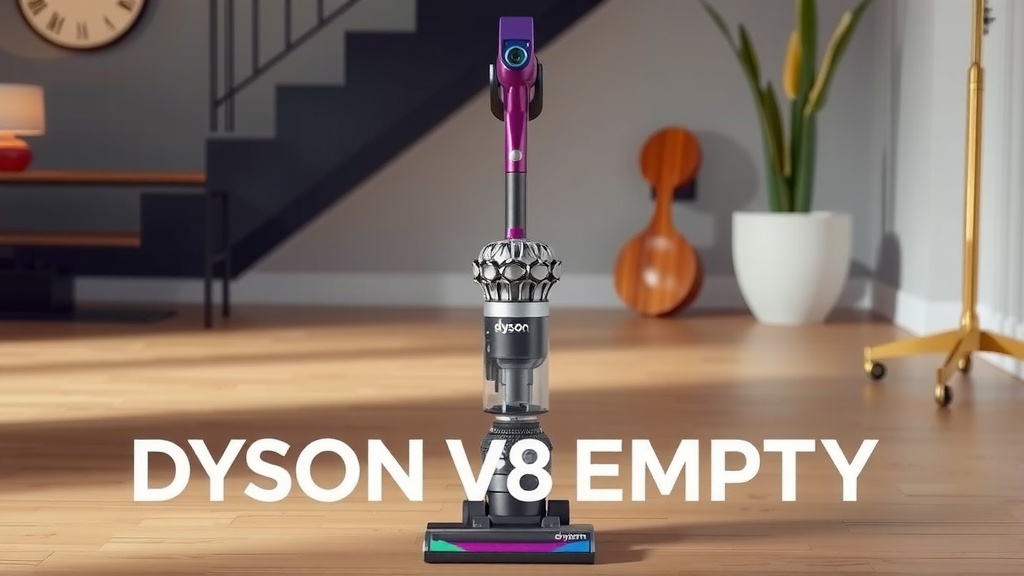
Tips for a Cleaner Emptying Process
We all want to avoid that cloud of dust. Here are a few tips to make emptying your Dyson V8 as mess-free as possible.
Emptying Outdoors
The best way to avoid dust in your home is to empty the bin outside. Find a spot away from open windows or doors. This way, any dust that escapes won’t end up back in your living space.
This is especially helpful if you have allergies or sensitivities. It’s a simple change that can significantly improve your cleaning experience.
When to Empty Your Bin
Dyson recommends emptying the bin when the dirt reaches the MAX fill line. This is clearly marked on the dustbin itself. However, we found that emptying it even before it’s full can be beneficial.
If you do a lot of cleaning or pick up a lot of debris, consider emptying it more frequently. This ensures you always have maximum suction. Think of it like refilling your gas tank before it’s completely empty.
Quick Checklist for Emptying Your Dyson V8
Here’s a quick rundown to remember the process:
- Find the red release lever at the bottom of the dustbin.
- Slide the lever down to open the trapdoor.
- Hold over a trash can and let the dirt fall out.
- Tap gently if needed, but avoid scraping.
- Slide the lever back up to close the bin.
- Securely reattach the bin to the vacuum body.
Conclusion
You’ve now learned the simple steps to empty your Dyson V8 vacuum. It’s a quick task that makes a big difference. Keeping that dustbin clear ensures your vacuum always has maximum suction power. This means less effort for you and a cleaner home overall. So next time you see that dustbin filling up, don’t hesitate! Take a moment to empty it and keep your Dyson V8 performing at its best. Your vacuum will thank you for it.
Frequently Asked Questions
How often should I empty my Dyson V8 dustbin?
You should empty your Dyson V8 dustbin whenever the dirt reaches the MAX fill line. For best performance, especially if you clean frequently or pick up a lot of debris, consider emptying it even before it’s completely full. This helps maintain consistent suction power.
Can I wash the Dyson V8 dustbin after emptying it?
The dustbin itself is typically not washable. While you can wipe down the exterior, avoid getting the internal components wet. Refer to your Dyson V8 manual for specific cleaning instructions for removable parts like filters, but the bin itself is usually designed for dry emptying only.
What if the dirt is sticking to the bottom of the dustbin?
If some debris is sticking, you can gently tap the bin against the inside of your trash can to help dislodge it. Avoid using tools to scrape the bin, as this could scratch the plastic or damage the seal. Ensure the trapdoor is fully open when you tap it.
Do I need to detach the entire dustbin to empty it?
No, you don’t need to detach the entire dustbin from the main vacuum body. The emptying process is designed so you can empty it while it’s still attached. You simply activate the red release lever at the base, which opens the trapdoor to let the debris out.
Is there a way to reduce the dust cloud when emptying?
Yes, emptying your Dyson V8 dustbin outdoors is the best way to minimize dust indoors. If you must empty it inside, ensure you are directly over your trash can and consider placing the nozzle right into the bin. This helps contain any airborne particles.